Project settings
Make room for your next idea.
 NudgeThis
Point at your UI. Tell your agent what to change.
Get NudgeThisPortable alpha · Windows, macOS & Linux
What brings you here?
Make room for your next idea.
NudgeThisSelected: Save changesNo stack vocabulary required.
HTML + CSS · Built-in preview
No extra tools to installA fresh folder on your computer.
Your neighborhood bakery,
one fresh batch at a time.
Your idea becomes a starting point you can preview locally.
Keep each conversation tied to its branch.
− padding: 8px 12px;+ padding: 16px 24px;+ border-radius: 12px;Inspect the proposal before applying it.
1 reviewed change · improve-checkout
Saved locallyA commit records the version you approved.
Review merge readiness before combining branches. Website deployment is a separate step.
Branch, review, save a version and propose it on GitHub.
Select the part you want to change.
Describe it in your own words.
Check the changes, then apply.
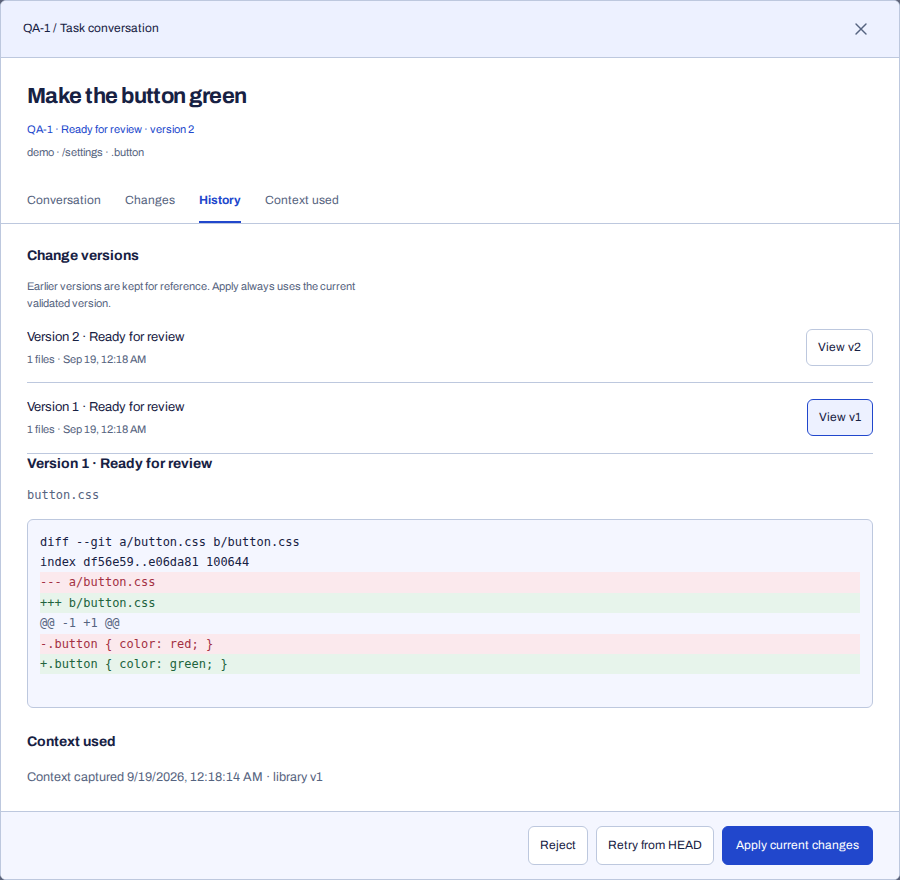
Feedback, replies, and previous versions stay together. Come back to a change without starting the explanation over.
No. Select the element and describe what you'd like to change. You can say “this box” or “that button” instead of looking up a component name.
Yes. NudgeThis is a local development tool. This website introduces the project; the application and your chosen agent run on your machine. Your agent's own network and data policies still apply.
Codex CLI has a dedicated integration. Other agents need a compatible ACP or custom adapter. You can also copy a request's context into any text-based agent. Connecting an agent creates a new conversation.
Yes. Project context lets you paste instructions or import Markdown and text files, including SKILL.md. Select them for a conversation and inspect the saved context for each version. Skills are shared as text; tools and supporting files are not installed automatically.
The project is open source under the MIT license. Any subscription or API usage required by your chosen agent is separate.
No. Start from an idea, choose a starter or open a local folder. NudgeThis saves your goals in Project context. You can set up local version history and connect GitHub later.
Yes. Download the portable alpha, extract the archive and open NudgeThis. The welcome runs in your browser on localhost. A simple website needs no additional tools; Astro and React starters need Node.js and npm. Git and an agent are separate requirements for assisted changes. Downloads are unsigned, so your operating system may require approval.
Read the setup guideDownload. Extract. Open NudgeThis.
v0.7.0-alpha.1 · Portable, unsigned preview release.
No automatic updater or signed installer yet.
FROM YOUR TERMINAL
The same native app, ready for your command line. Pick where your project runs.
Read the installation guide ↗curl -fsSLo nudgethis-install.sh https://nudgethis.click/install.sh
sh nudgethis-install.sh
export PATH="${XDG_DATA_HOME:-$HOME/.local/share}/nudgethis/current:$PATH"
nudgethis --helpInstalls in your user folder and verifies the release checksum. No sudo. Add the PATH line to your shell profile to keep it for future sessions.
Read the shell installerInvoke-WebRequest -UseBasicParsing https://nudgethis.click/install.ps1 -OutFile nudgethis-install.ps1
powershell -NoProfile -ExecutionPolicy RemoteSigned -File .\nudgethis-install.ps1 -AddToPathInstalls for your user. Open a new terminal afterward and run nudgethis --help. Organization script policies still apply.
Enter your distribution first, for example with wsl -d Ubuntu in PowerShell. Then run:
curl -fsSLo nudgethis-install.sh https://nudgethis.click/install.sh
sh nudgethis-install.sh
export PATH="${XDG_DATA_HOME:-$HOME/.local/share}/nudgethis/current:$PATH"
nudgethis welcome --no-browser
Open the complete printed URL in your Windows browser, then choose your Linux project folder. Requires a supported x64 Linux distribution.
Read the WSL guide ↗Portable alpha · SHA-256 checked · No agents started during installation
DOCUMENTATION
From your first project to a reviewed change on GitHub.
Browse all guides ↗You don't need to know what it's called.
Get NudgeThis